 4.6 / 5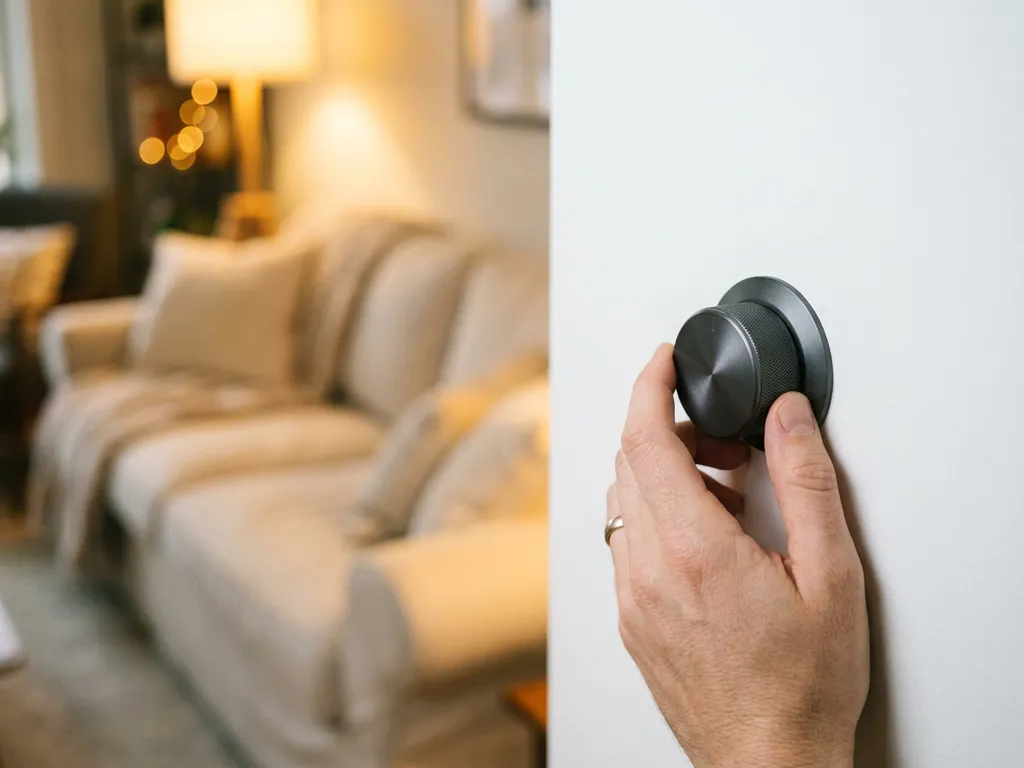
You use a dimmer to adjust the brightness in a room to suit your current needs. Whether you want to create a cozy atmosphere during a movie night, need bright light while cooking, or want to save energy when full brightness isn’t necessary, a dimmer gives you that control. In this article, we answer the most frequently asked questions about dimming lights, from choosing the right LED options to smart solutions that don’t require drilling or cutting.
What types of dimmers are there, and what are the differences?
There are four common types of dimmers: the rotary dimmer, the push-button dimmer, the touchless dimmer, and the smart dimmer. They differ in terms of operation, technology, and installation options. The choice depends on your preferred method of control, the type of lighting, and whether you want to integrate the dimmer into a smart home system.
- Rotary dimmer: the classic type where you adjust the light level by turning a knob. Simple and familiar to use.
- Push-button dimmer: You control the dimmer by pressing the button briefly or holding it down. This is convenient if you don't want a rotary knob.
- Touchless dimmer: responds to a hand gesture near the switch, without physical contact. Hygienic and modern.
- Smart dimmer: controllable via an app, voice assistant, or home automation system. Available with Bluetooth, Wi-Fi, or Zigbee, and ideal for anyone looking to build a smart home.
All models are available in versions that fit standard System 55 flush-mount frames, so you can easily replace an existing switch without making any changes to the wall.
Does a dimmer work with LED lighting?
Yes, a dimmer works with LED lighting, but only if you use a dimmer that is specifically designed for LEDs. Traditional dimmers are designed for incandescent bulbs and operate within a different power range. An LED dimmer is tailored to the low power consumption of LED bulbs and prevents issues such as flickering, humming, or premature bulb wear.
When purchasing, keep two things in mind: the dimmer must be labeled “LED-compatible,” and the LED bulb itself must be “dimmable.” Not all LED bulbs are dimmable by default, so always check the product specifications. When both the dimmer and the bulb are compatible, dimming LED lights works smoothly and without any noise.
An additional benefit of LED lighting when used with a dimmer is that LED bulbs sometimes slightly adjust their color temperature as they dim, making the light feel warmer and more atmospheric the more you dim it. This effect is called “warm dimming” and is intentionally built into high-quality dimmable LED bulbs.
How much energy do you save with a dimmer switch?
Using a dimmer saves energy in direct proportion to how much you dim the lights. If you dim the lights to 50 percent of their maximum brightness, you’ll use roughly 50 percent less electricity. With LED lighting, this effect is even greater because LEDs are already energy-efficient, and dimming reduces energy consumption even further to a very low level.
In practice, this means you can consistently save on your energy bill in rooms where you don’t always need full lighting, such as the bedroom, hallway, or living room while watching a movie. If you combine a dimmer with a timer or a twilight switch, you’ll save money even if you forget to turn off the lights.
Dimming the lights is therefore one of the easiest ways to reduce energy consumption without sacrificing comfort. It doesn’t require a major investment, and in most cases, the payback period for a dimmer switch is short.
Can a dimmer also help prevent burglaries?
Yes, a dimmer switch can help prevent break-ins, especially when paired with a timer or a smart home automation system. By automatically turning the lights on and off at varying times, you create the impression that someone is home. This is a proven method for deterring burglars.
A smart dimmer with app control takes it a step further: you can also control the lights in your home remotely, for example while you’re on vacation. This way, your home always looks lived-in from the outside, no matter where you are.
If you combine a dimmer with an astro timer for outdoor lighting, the outdoor light will turn on automatically at sunset and off at sunrise. This provides extra security around your home without you having to think about it.
How do you install a wireless dimmer without chiseling?
You can install a wireless dimmer by replacing the existing switch with a wireless wall control, without having to run any additional wiring. The dimmer communicates wirelessly with a receiver that you place inside the light fixture or the junction box. No chiseling, no running wires, and no electrician needed for the basic installation.
The installation usually takes place in a few steps:
- Turn off the power at the circuit breaker panel.
- Remove the existing switch or wall plate.
- Connect the wireless receiver to the existing wiring near the light fixture or inside the junction box.
- Mount the wireless wall-mounted control in the desired location, even in a place without wiring.
- Connect the remote control to the receiver using a simple pairing procedure.
This makes wireless dimmers ideal for older homes with outdated wiring, rental properties where you don’t want to make any renovations, or rooms where an extra switch would be handy but running new wiring is too much of a hassle.
Is a smart dimmer compatible with Philips Hue and KlikAanKlikUit?
Smart dimmers with Zigbee are compatible with the Philips Hue ecosystem via the Hue Bridge, and dimmers using the KlikAanKlikUit protocol work directly with KlikAanKlikUit receivers and systems. Compatibility depends on the wireless protocol used by the dimmer. Always check which protocol the dimmer supports before purchasing.
Zigbee dimmers are highly versatile: they work not only with Philips Hue, but also with platforms such as Homey, Home Assistant, and other Zigbee hubs. This makes them a flexible choice if you’ve already built a mixed smart home ecosystem or plan to expand it in the future.
WiFi dimmers can usually be controlled via a dedicated app or through integrations with Google Home or Amazon Alexa. Bluetooth dimmers work over shorter distances and are ideal if you don’t want to use a hub but still want basic automation.
The bottom line: you don’t have to start from scratch if you’re already using a smart home platform. A smart dimmer with the right protocol will work with what you already have, without requiring you to replace your entire system.
How Freelux Helps with Dimming Lights
At Freelux, we offer a wide range of dimmers to suit any situation, budget, or existing system. Whether you choose a simple LED rotary dimmer or a smart Zigbee wall switch, our products are designed for easy installation without the need for technical expertise.
- Available in models with Bluetooth, Wi-Fi, and Zigbee for smart home integration
- Compatible with Philips Hue, Homey, and KlikAanKlikUit
- Wireless models for installation without chiseling or additional wiring
- Suitable for LED lighting and available in multiple wattages
- Compatible with standard System 55 flush-mount frames from other brands
Browse our full selection of LED dimmers and lighting controls in our online store, or check out our LED light switches for additional solutions. Do you have questions about which dimmer is best suited for your situation? Please contact us—we’d be happy to help.
Frequently Asked Questions
Can I dim any LED bulb with an LED dimmer?
Not every LED bulb is dimmable, even if you use a compatible LED dimmer. Always check the packaging or product specifications for the word "dimmable" or the dimmer icon. If you use a non-dimmable LED bulb with a dimmer, the bulb may flicker, hum, or fail prematurely.
What are the minimum and maximum power ratings that a dimmer can handle?
Each dimmer has a specified minimum and maximum power rating, expressed in watts. It is important that the total power of your connected lights falls within this range. If you fall below the minimum, the light may flicker or not dim properly; if you exceed the maximum, the dimmer may overheat. Check your dimmer’s specifications and add up the wattage of all connected lights.
My dimmer is buzzing or flickering—what can I do?
Buzzing or flickering when using a dimmer is usually caused by one of the following: the dimmer is not compatible with LEDs, the LED bulb is not dimmable, or the total wattage of the bulbs exceeds the dimmer’s recommended range. First, check that both the dimmer and the bulb have the correct specifications. If that doesn’t help, switching to a higher-quality dimmable LED bulb or a dimmer from a different brand may solve the problem, as not every combination of brand and type works equally well together.
Can I connect multiple lights or fixtures to a single dimmer?
Yes, that is possible as long as the total wattage of all connected lights remains within the dimmer’s maximum capacity. Simply add up the wattage of all the lights and compare it to the maximum load specified on the dimmer. Keep in mind that the minimum load requirement also applies to the total—if the load is too low, the dimmer may operate erratically.
Can a smart dimmer be used without an internet connection or a smartphone?
Yes, most smart dimmers can also be controlled manually using the physical wall switch, regardless of whether you have an internet connection or a smartphone handy. Bluetooth dimmers even work entirely without an internet connection and can be controlled locally via your phone or the switch itself. WiFi and Zigbee dimmers do require an active connection for remote app control, but the local switch always remains functional.
How do I know if my existing wiring is compatible with a dimmer?
Most standard single-pole switches in Dutch homes can easily be replaced with a dimmer, provided there is a neutral wire (neutral) or the dimmer is specifically designed for use without a neutral wire. If in doubt, check the wiring in the junction box: if there are two wires (live and switch), you’ll need a dimmer that works without a neutral wire. If you’re not sure, opt for a wireless dimmer—it doesn’t require any modifications to the existing wiring.
Can I also use a dimmer outdoors, for example for outdoor lighting?
Standard dimmers are designed for indoor use and are not resistant to moisture or outdoor temperatures. For outdoor lighting, you need a dimmer or switch with a suitable IP rating (at least IP44 for protected outdoor areas). An alternative is to install the dimmer indoors and control the outdoor light via a receiver or relay, which also forms the basis of many smart outdoor lighting solutions.