 4.6 / 5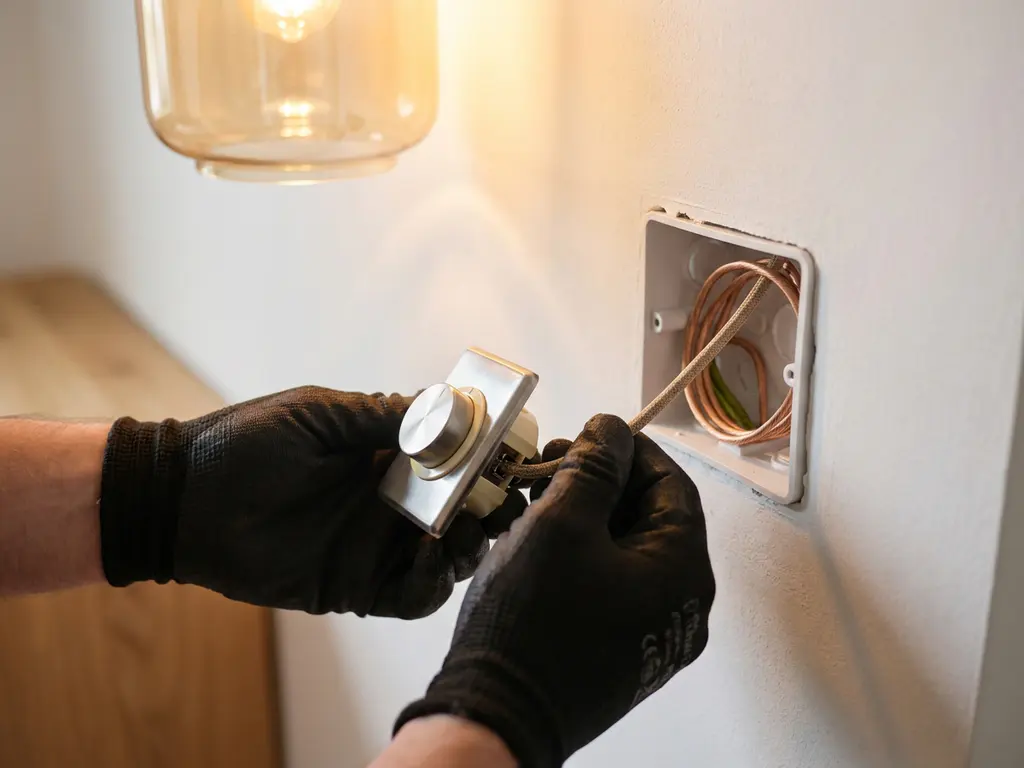
To connect a light to a dimmer, install the dimmer in place of your existing switch, connect the wiring to the dimmer’s terminals, and check whether your light is dimmable. The entire process usually takes no longer than twenty minutes and requires no additional wiring in most homes. In this article, we answer the most frequently asked questions about dimming lights, from the right bulbs to smart solutions.
Which light bulbs are compatible with a dimmer?
Not every light bulb works with a dimmer. For proper operation, you need specific dimmable LED bulbs. Regular LED bulbs, energy-saving bulbs, and fluorescent tubes are usually not dimmable and may flicker, become damaged, or even break if you connect them to a dimmer. Always check the bulb’s packaging for the word “dimmable” or the dimmer symbol.
Dimmable bulbs are now widely available in all standard screw bases, such as E27, E14, and GU10. When purchasing them, be sure to check the minimum and maximum wattage your dimmer can handle. Some dimmers only work properly if there is a minimum load on the circuit, such as at least twenty watts. If you’re using just one small LED bulb, this can already cause problems.
- Dimmable LED bulbs: the best choice for energy savings and a long lifespan
- Halogen bulbs: are naturally dimmable, but are being used less and less
- Standard LED bulbs: not dimmable, do not work properly with a dimmer
- Energy-saving light bulbs (CFLs): almost never dimmable, even if they are labeled as such
Regel het licht precies zoals u wilt
Ontdek onze led-dimmers en controls: draaiknop, drukknop of aanraakvrij — altijd upgradebaar.
Bekijk led-dimmersWhat is the difference between a leading-edge and trailing-edge dimmer?
A leading-edge dimmer (also known as a forward-phase-cut or RL dimmer) cuts off the beginning of each current wave. A trailing-edge dimmer (also known as a backward-phase-cut or RC dimmer) cuts off the end. This difference is crucial because LED drivers and transformers are sensitive to the type of dimmer you use.
Traditional leading-edge dimmers are designed for halogen and incandescent bulbs. In most cases, modern LED bulbs work better with a trailing-edge dimmer, as this type is gentler on the electronics in the LED driver. If you use the wrong type, the bulb may flicker or not dim at all.
Always check the specifications of your LED bulb and dimmer. Many manufacturers indicate on the packaging whether the product is compatible with leading-edge (RL) or trailing-edge (RC) dimming. Some modern LED dimmers support both methods and are therefore universally compatible.
How do you connect a dimmer switch step by step?
Installing a dimmer switch is a job that most DIYers can do on their own. Always make sure the power is turned off at the circuit breaker panel before you begin. Use a voltage tester to confirm that the wires are de-energized.
- Turn off the power at the circuit breaker panel and use a voltage tester to make sure the wires are truly de-energized.
- Remove the existing switch by unscrewing the cover plate and pulling the switch out of the junction box.
- Make a note of the wiring or take a photo before unscrewing the wires. That way, you'll know where everything goes later.
- Connect the wires to the dimmer according to the dimmer's instructions. In a single-gang installation, there are usually two terminals for the live wire and the control wire.
- Secure the dimmer in the junction box and make sure no loose wires are sticking out.
- Replace the cover frame and turn the power back on at the circuit breaker panel.
- Test the dimmer by slowly dimming the light from maximum to minimum brightness.
Are you unsure about your own electrical knowledge? If so, have the installation done by a certified electrician. Safety always comes first.
Why does my light flicker after I connect it to a dimmer?
Flickering after connecting to a dimmer is almost always caused by an incompatibility between the dimmer and the light bulb. The most common causes are a non-dimmable LED bulb, the wrong type of dimmer (leading-edge versus trailing-edge), or an insufficient load on the dimmer.
Sometimes it helps to adjust the dimmer’s minimum setting. Many dimmers have a small adjustment screw on the side or back that allows you to adjust the lower limit. Set it slightly higher so that the light remains stable at the lowest dimmer setting.
Other possible causes of flickering:
- The light bulb is not compatible with that specific brand or type of dimmer
- There are multiple lights connected to a single dimmer with an overall load that is too low
- The wiring in the home is outdated or there is no grounding
- The dimmer is of poor quality or damaged
If the flickering persists, try using a different dimmable LED bulb from another brand first. Compatibility lists provided by dimmer manufacturers can be helpful in this regard.
Can you replace an existing switch with a dimmer without any additional wiring?
Yes, in most cases, you can replace an existing switch with a dimmer without any additional wiring. A standard dimmer has the same terminals as a regular switch and fits into the same wall box. You don’t need a neutral wire or an additional wire for a simple two-wire dimmer.
There is one exception, however: some smart dimmers or dimmers with a display require a neutral wire to function. In older homes, this neutral wire is often missing from the switch panel. Check this beforehand by opening the junction box and counting the wires present.
Do you live in a rental property? If so, always ask your landlord for permission before replacing light switches, even if the job is technically simple.
Schakelen zoals het u uitkomt
Bekijk onze led-lichtschakelaars: eenvoudig te installeren en klaar voor de toekomst.
Bekijk lichtschakelaarsWhich dimmer works with Philips Hue or other smart bulbs?
Smart bulbs like Philips Hue are designed to be dimmed via an app or smart-home system, not through a traditional dimmer switch on the wall. If you use a standard dimmer switch with smart bulbs, it could damage the bulb or interfere with its smart-home functionality. For smart bulbs, you need a specific smart switch or control device.
Philips Hue has its own Hue Dimmer Switch, which communicates wirelessly with the Hue Bridge. Other smart lights that use Zigbee, such as those compatible with Homey or KlikAanKlikUit, require a matching Zigbee dimmer or smart switch.
Want to dim the lights in an existing smart home ecosystem without replacing the bulbs themselves? Then smart in-wall dimmers are a great option. These are installed behind your existing switch and communicate wirelessly with your smart home platform. They work with standard (non-smart) dimmable LED bulbs, yet still let you control the lighting via an app or voice assistant.
How Freelux helps you dim your lights
At Freelux, we understand that choosing the right dimmer can be confusing, especially with the wide variety of LED bulbs and smart systems available on the market. That’s why we offer a comprehensive and easy-to-navigate selection of dimmers designed to work with the most common electrical setups in Dutch homes.
- Rotary dimmers and push-button dimmers for standard dimmable LED lighting
- Smart dimmers with Bluetooth, Wi-Fi, or Zigbee for integration with platforms such as Philips Hue, Homey, and KlikAanKlikUit
- Universal dimmers that support both leading-edge and trailing-edge dimming
- Products available in various power ratings and finishes, compatible with standard System 55 recessed frames
- Easy installation without any hacking or programming; also suitable for existing homes
All of our dimmers are energy-efficient, future-proof, and compatible with the WIIS concept, so you can easily expand or combine your products. Browse our full selection in the LED dimmer webshop, or contact us if you need advice on choosing the right dimmer for your situation.
Frequently Asked Questions
Can I use a single dimmer to control multiple lights at the same time?
Yes, that is possible, but you need to make sure that the total wattage of all the bulbs combined does not exceed the dimmer’s maximum capacity. Also check that the minimum wattage requirement is met, because if the load is too low, dimmers may operate erratically or cause flickering. For best compatibility, use bulbs of the same brand and type.
What should I do if my dimmer gets hot while in use?
A slight build-up of heat is normal for dimmers, as they themselves convert a small portion of the energy. However, if the dimmer becomes very hot or warm to the touch, this may indicate an overload, an incompatible light bulb, or a faulty dimmer. In that case, turn off the power, check that the total wattage of the connected lamps does not exceed the dimmer’s maximum capacity, and consult a certified electrician if necessary.
Does a dimmer also work in a hotel switch system (with two switches)?
A standard dimmer is not immediately suitable for a two-way circuit where you control the light from two different locations. For that situation, you’ll need a special master-slave dimmer or a smart recessed dimmer with wireless connectivity. Always check the product specifications or ask for advice to ensure the dimmer is compatible with your switch group.
How do I know the minimum and maximum power ratings of my dimmer, and why is that important?
The minimum and maximum power ratings are listed on the packaging or in the dimmer’s manual, expressed in watts. The maximum power rating determines the total number of lights you can connect without overloading the dimmer. The minimum power rating is just as important: if you use less wattage than the minimum, the dimmer may operate erratically, flicker, or fail to turn the light off completely. For modern, low-power LED installations, it is therefore essential to choose a dimmer with a low minimum power rating, sometimes as low as 3 to 5 watts.
Can I install a dimmer switch outdoors or in a damp area, such as a bathroom?
Standard dimmers are not suitable for use in damp areas such as bathrooms or outdoor environments, as they do not offer protection against moisture or splashes. For such areas, you need a dimmer with an appropriate IP rating, such as IP44 or higher, which offers protection against splashes. Always consult the applicable NEN standards for electrical installations in damp areas, or hire a certified electrician.
What is the most common mistake when connecting a dimmer, and how can I avoid it?
De meest gemaakte fout is het aansluiten van een dimmer op een niet-dimbare LED-lamp of het kiezen van een verkeerd type dimmer voor de lamp. Dit leidt vrijwel altijd tot flikkeren, zoemen of vroegtijdige slijtage van de lamp. Controleer daarom altijd vóór de aanschaf of de lamp het label ‘dimmable’ heeft en of de dimmer compatibel is met het type LED-driver van jouw lamp, bij voorkeur via de compatibiliteitslijst van de dimmerfabrikant.
Is it possible to retrofit a dimmer or adjust it if the light doesn't dim properly?
Yes, many dimmers have an adjustable minimum setting and sometimes a maximum setting as well, which you can fine-tune using a small trim screw on the side or back of the device. By setting the minimum level slightly higher, you can prevent flickering at the lowest dimming level, and by adjusting the maximum setting, you can limit the maximum brightness if desired. Consult the manual for your specific dimmer for the exact adjustment procedure.